PODCAST INTERVIEW
Elevate, Expand & Engage Your LinkedIn Experience with Judi Hays
Listen On
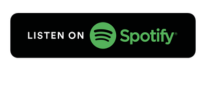


LinkedIn Easy Peasy Podcast with Gillian Whitney
Gillian Whitney hosts Judi Hays live on the LinkedIn Easy Peasy Podcast to unpack Elevate, Expand, Engage, the book behind Judi’s proprietary Triple-E Method. Judi explains how to elevate your visibility starting with your profile, expand a network built around a clear ideal audience, and engage in ways that move conversations off LinkedIn.
She also shares how she screens connection requests, why your About section should speak to your buyer, and how downloading your connections can reignite relationships with people who have changed jobs.
Episode Key Takeaways
- Work the Triple-E Method together: Elevate your visibility, Expand your network, and Engage by starting conversations.
- Know your audience before you grow your network: If you are just starting out, study who your competitors’ ideal clients are.
- Optimize your About section: Write it to your ideal audience, specifically the one person you want to reach.
- Screen invitations before you accept: Check that the person is active on LinkedIn and that you share a real reason to connect. Always personalize your own invitations.
- Download your connections: LinkedIn is a rented platform. Sort the file by company and job title to find people worth re-engaging.
- Unfollow instead of disconnecting: You clean up your feed and keep second-degree reach into their network.
Resources
Watch Now
Appearances By
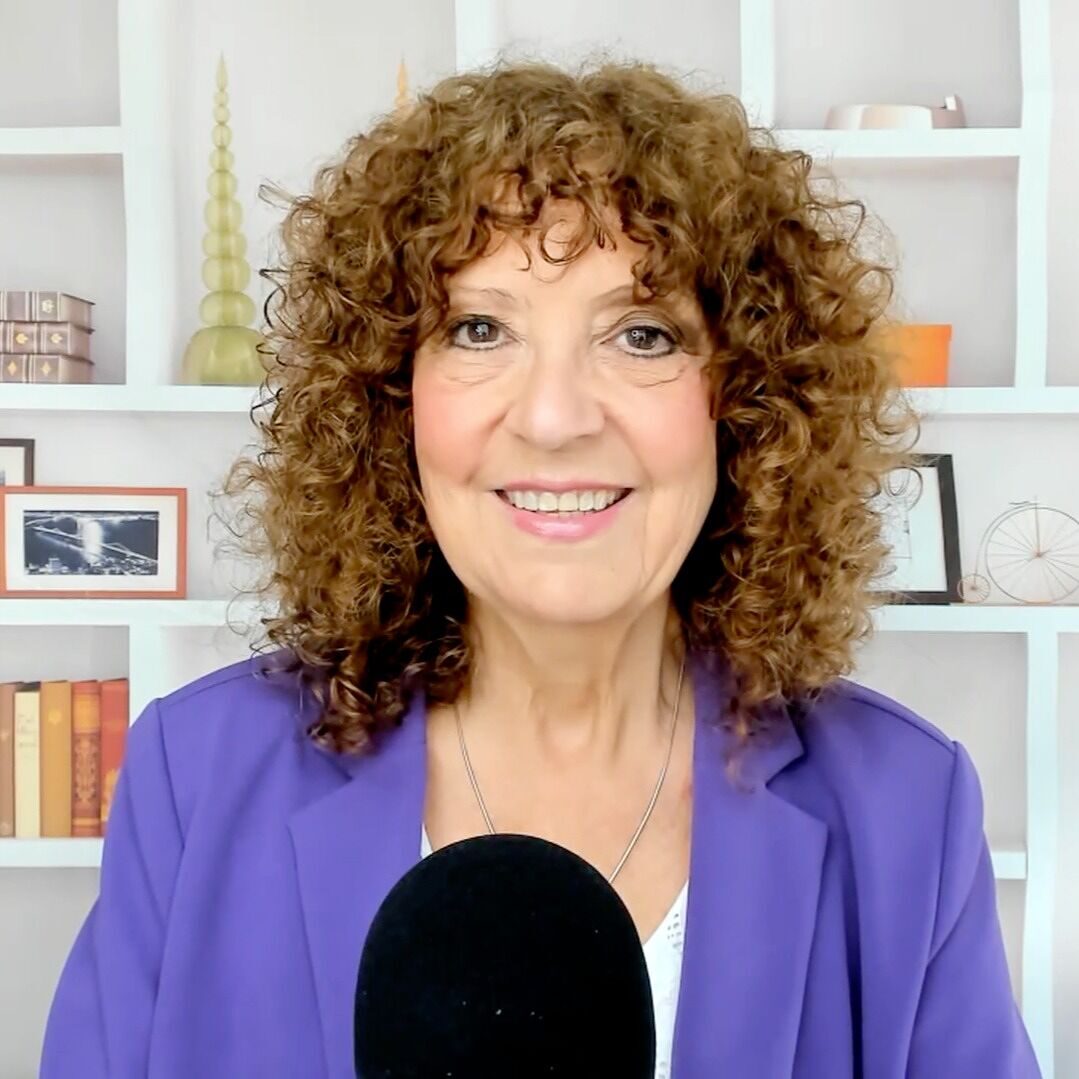
Gillian Whitney
Gillian Whitney is an author, speaker, book coach, and host of the Easy Peasy Books Podcast. Learn more about Gillian Whitney.

Judi Hays
Judi Hays is a personal brand strategist, executive positioning advisor, and LinkedIn expert. She positions experienced professionals and leaders of established, expert-led B2B consulting and professional-services firms for visibility, authority, and decision-maker conversations. Learn more about Judi Hays.
Show Transcript
This transcript was generated from the episode audio and lightly edited to remove filler words and obvious repetitions. It may contain transcription errors.
Gillian Whitney:
And we're live once again on another Tuesday. That's such peppy music, isn't it? I love it. So I have a special guest in the house today, coming live from Brooklyn. We've got the country covered, from New York to Las Vegas. It's like a show today. It's awesome. So I have Judi Hays in the house, and we're talking about a really interesting topic today: Elevate, Expand, and Engage your LinkedIn experience. Before we get cracking, though, Judi, just in case somebody doesn't know you, tell us quickly who you are and what you do, and then we'll get stuck in and start chatting.
Judi Hays:
Wow. Well, I'm really thrilled to be here. Thank you. By the way, I'm a fast-talking New Yorker. I'm based on Long Island now, not in Brooklyn, but I'm from Brooklyn. I've been in love with LinkedIn ever since I started working for the Chamber of Commerce in Austin, Texas. I worked with all the members there and taught them how to use it. Since then, I started my own company, and I work with professional service businesses that sell high-trust, high-ticket services, and I help them be good citizens on LinkedIn. We all know what that's like, right?
Gillian Whitney:
I love that. And you know, it's funny. It's not funny, it's very serious. So you have your book, Elevate, Expand, Engage. I have the e-book version, and I love it. I finished it, and I have rave reviews. I really loved it. I love that you talk about things like being a good citizen. There's a classiness to the way you do LinkedIn that comes across in your book. We're not in it just to be LinkedIn LIONs and have a gazillion connections and throw stuff up. I liked that you had a very professional approach. So let's talk about your book. First of all, let's talk about the title, because the title was very interesting, and it goes with what you call the Triple-E Method. Where does all that come from?
Judi Hays:
Well, I needed my spin on it, and I have to give the credit to Steve Gordon, who published the book through Unstoppable CEO Press. He came up with the title. It was basically about how you approach LinkedIn. You want to elevate, and when I talk about elevate, it's elevating your visibility, starting with your profile. Elevating your awareness, so people actually see who you are. And elevating your overall experience on the platform, to go from a lurker to a participant. Then the expand part is growing your network, deepening and expanding your relationships. You and I connected through something, and now we've expanded it to this level. It's also expanding your comfort level. There's a lot of fear out there: fear of missing out, fear of what people are going to think. And then the next part is engage, and engage is where the magic happens. Here we are, engaging, right? Engaging is where you put yourself out there. You reach out to people, you start a conversation, you share insights on someone's post. Again, you're an active participant. The beauty of working with a publisher and a really good editor is that they help you organize the crazy static that's in my head. I also worked with Rivka Hodgkinson. She was the editor on the book, and she was able to take all the content and break it into these three buckets.
Gillian Whitney:
Very nice. That's awesome. Can I ask you what led to the book? How long have you actually been on LinkedIn? I'm assuming you're a veteran.
Judi Hays:
2008, 2009. The typical job search: throw my resume up there, that kind of thing. And then, like I said, in 2012, when I was working with the Austin Chamber, I really got into it. I've published books before, believe it or not. I had a previous life, so I'm reincarnated. My previous life was in restaurant marketing, and I published a bunch of books on restaurant design and menu design. And I tell everybody, we all have a book in our head, and I encourage you all to get it on paper and get it out there. To me, a book is metaphorically and physically a door opener, because I can open my door with this thing, and it also lets me get into a conversation with somebody. Now I have something to give them. It's taking everything that's in here and giving it to somebody in a tangible way, so they can take what they will. Everybody has an approach, and this is just another approach. So the idea was to put it on paper, and that's when I contracted with Unstoppable CEO Press. It was supposed to be a short thing, but then COVID happened, and then LinkedIn refreshed its entire platform, and it was like, oh my gosh, we have to do everything over. And here we are.
Gillian Whitney:
That's great. And it's interesting that you come from a restaurant marketing background, because when I think of restaurants, I think about how the maître d' takes care of you and your reservation. You come in, and they make you feel welcome. At a good restaurant, it's always wonderful when the manager or the owner walks around and says, "How y'all doing today? How are you liking your meal?" We all like that special attention, and I can see how that fits into your book, especially when you talk about engaging with people. You've got to be a little bit of a host and get out of your comfort zone. And you talk in the book about how the goal is to move your conversations off of LinkedIn. I think that's where a lot of us get stuck. We see the news feed, we do some comments, and then we don't go anywhere. Or we have connections, and we don't know what to do with those connections. We don't really know how to move those conversations off LinkedIn, and we don't really know how to engage with people, especially when it's been a while and you're like, "I don't even know who this person is anymore."
Judi Hays:
Well, I think you hit on a couple of things I'd like to go a little deeper on. There's a book I read back in 2012 called Setting the Table by Danny Meyer. Danny Meyer is the founder of Union Square Hospitality Group and Shake Shack; maybe some people are familiar with that. What he talked about in Setting the Table is the art of customer service. It's always about serving the customer. And I think if we, as practitioners, approach LinkedIn as serving our customer, and we are consultative, supportive, and resourceful, everyone has a better experience, because then we're thinking about how we can help. I always like to help people, and if somebody asks me a question, I love questions, because they're always good fertilizer for content. That's one thing.
The other thing I would say is that my earlier approach to LinkedIn started when I worked in advertising. I worked for a direct response agency in New York City, where I grew up, and we did direct response marketing. Those of you who are about my age might know the back page of Parade magazine in the Sunday newspaper. It had all those little books, and they'd run offers like three books for a dollar, and we'd test that against four books for a dollar, or one book free. It's the same thing with LinkedIn. I do this, and John does this too. We're both in John's group now, the Espresso+ group, with John Espirian. He does a lot of testing, and a couple of other folks do testing, and I love that. What I tell people is that you don't want to do the same thing all the time on LinkedIn, because it's an algorithm and it's looking for variety. So test things. Test things with a small group, test things in a different format, test a different way of expressing it. And when you find something that works, don't only do that. Continue the variety. I think of these metaphors of gardens. LinkedIn is like a garden. You've got to weed it, you've got to water it, it needs sun. It really is. You take care of it, and it will bear fruit.
Gillian Whitney:
I love it. And it's so true, because as a video marketer, I don't just do video. I do video once a week, because I do LinkedIn Lives, which is a video, and then I do a personal video, usually tips or something like that. Then I do graphic posts, text posts, sliders, polls. I do different things, because I've found the algorithm doesn't want you to do video every single day. They're just going to bomb. So you're better off having that variety in your garden, and I like that. Another thing I read in your book was such an aha. A lot of people come to LinkedIn and aren't really clear on their ideal customer. If you're not clear on your ideal customer, that's really going to affect how you grow your network, because if you're not clear on who you're trying to serve, you're going to connect with everybody. It could be geographic. Maybe you're a restaurant in Columbus, Ohio, and you're connecting with people in France. Well, they're not going to come to your restaurant. Or it could be industry; they might not be the right people for you. And I loved your idea that if you can't figure out who your ideal customer is, you can do a survey of the people you've worked with in the past. But if you're a newbie, that's really hard, and a lot of new people are starting businesses and coming to LinkedIn. I loved the idea of looking at your competitors and looking at who the ideal client is for your competitors. I thought, wow, that was brilliant. I loved that.
Judi Hays:
Yeah, you know, it's funny. That's how I've grown my Twitter audiences. I look at people whose posts I enjoy, I look at who they follow, and then I follow them. That's easy on Twitter. On LinkedIn, there are a couple of ways. And I want to get this across, because I think we are a society obsessed with vanity metrics. Vanity metrics mean nothing. What matters is quality, not quantity. For one of my clients, we have a mailing list of about 200 people, and we average a 52% open rate.
Gillian Whitney:
Wow.
Judi Hays:
Right? So we have a highly engaged audience there for that particular tool. Then we think creatively about how to reach the other 48%. That's through LinkedIn, and through other kinds of outreach, maybe trade shows, whatever. So think about LinkedIn more strategically. Another good way to build an audience, if you're new on LinkedIn or pivoting into a new area, is to look at trade shows. Look at who the speakers are. Look at the memberships of organizations and who the members are. I have a client who produces publications for chambers of commerce. Right now, he's at a trade show in Arizona. We looked at all the members and all the sponsors of that trade show, and since he's an exhibitor, we personalized the outreach to connect with each and every one of them. But please, please, please personalize your message. People say, "Oh, it takes too long." You know what? If you don't have time to do that, why would someone want to connect with you? It's like going to an event, dealing out your business cards, and running out of the room. Whoa. In Vegas, you know that, right?
The hardest part for people to wrap their heads around is a couple of things. One is that LinkedIn is not about you. It's about your audience. It's about the person who's reading it. When it's relevant to them and it resonates with them, you've got their attention. When someone says, "Tell me about yourself," my usual response when I meet someone in person is, "You know what, I can talk about myself all day. Tell me about you."
Gillian Whitney:
I love that.
Judi Hays:
And then what happens is, when we finally get around to that person saying, "I've been talking the whole time. What do you do?" now I have some information about them. I understand where they're coming from, so I can respond accordingly. So on LinkedIn, especially with your About section, your About section should really be about the ideal person who is reading it. I work with job seekers as more of a pay-it-forward, because I speak with a group called FENG, the Financial Executives Networking Group, and I work with some of the senior executives there. One gentleman is a CFO, and he was looking to change roles. I said, "Well, talk to me about that." He said, "I'm really strategic. I approach it from a strategy perspective, as opposed to a transactional accountant." So I said, "Okay, then who's going to hire you?" He said, "A really smart CEO is going to hire me." So we wrote his About section to that smart, savvy CEO: you're a savvy CEO who wants to know how to build shareholder equity and grow your company. I always think about the end game I want from somebody reading this. I want that savvy CEO reading it to say, "You know what? Our guy or gal down the block is just doing our tax returns and keeping us out of trouble with the IRS. We need a strategic CFO who's going to help us build value." That puts my client in position, because his About section speaks directly to his buyer. When you think of it like that, it makes sense, because if I'm talking all about me, you're wandering off, thinking, "Oh gosh, when is she going to stop? I've got to go talk to so-and-so over there. Just get me out of here."
Gillian Whitney:
Yeah. How many people actually read profiles?
Judi Hays:
I think about 20% are going to read your About section.
Gillian Whitney:
Wow.
Judi Hays:
Very little. Most people stay at the top of the fold. So the key is really making it about the ideal audience. People say, "Well, I work with all kinds of companies." Pick one. Say, "This month, I'm going to focus on supply chain technology companies," and position your profile to supply chain technology companies. Or you're going to focus on investment bankers, whatever it is. Talk to that audience. You can still take on other kinds of work, like you, Gillian. I don't just do LinkedIn. I do all kinds of things, but LinkedIn is the gateway drug, right?
Gillian Whitney:
Yeah, I love that. The gateway. Once they're in, you've got them. That's a tweetable.
Judi Hays:
It is a gateway drug, for me at least. But it's really about being very clear. If you're clear on who you're talking to, and you understand the struggles and the problems that particular prospect is having, then, and I learned this from Brynne Tillman in all of her teachings about social selling, you don't lead with what you do. You don't lead with your solution. You empathize and understand the problem your prospect is having, and then you lead to the end state, which is your solution. When you do it that way, you're not selling. You're advising. And you have to build trust on LinkedIn, because we've never met, so why are you going to trust me?
By the way, you were very helpful in giving me tips on how to do the Cover Story. You actually took the time to give me a tutorial, and I thought, oh my gosh, you are fantastic. I immediately trusted you, because now when I think of you, I think, Gillian really knows her stuff and she's really good at what she does, because I remembered that. You took the time to understand a problem I was having. I didn't ask for a solution, but you were gracious enough to say, "Hey, if you want to know more, check this out." And I thought, wow, this is really cool. Then I tried it, and I think I shared it with you, my Cover Story, and you gave me some really good feedback. That's the magic.
Gillian Whitney:
I agree. I agree. So I see we have a bunch of comments, so let's hop over to those. "I love that you don't see your competitors as competitors. You see them as..." I don't know if I can get it... co-opetition.
Judi Hays:
I first heard that from Brenda Meller.
Gillian Whitney:
I first heard that from Brenda Meller too. It's a wonderful idea.
Judi Hays:
It's a wonderful idea. Think of it this way. I approach life from a half-full, giving mentality. My cup is always half full. There's always a good side, even in the worst of situations. If I approach it that way, and I can do something to help a colleague in whatever way possible, I don't see them as a threat. If I'm threatened by them, then they're competition: "Oh my gosh, you're going to take my clients, you're going to take all my stuff." That comes from a position of fear and lack. So approach things from a giving, positive openness. I mean, I'm from New York, so I'm obviously cautious and use common sense. And I have to tell you, this community has been so supportive that I'm in awe that I'm part of it. So thank you all.
Gillian Whitney:
And it's wonderful, because you're right. There are so many people on LinkedIn, and our services are valuable. I don't think any market is saturated, and there's enough work to go around. Some of us could do exactly the same thing, but maybe one person is a better fit based on time zone, or gender, or who knows. There could be a million reasons. So I just think it's all good. I love that.
Okay, woohoo. Another one: you mentioned in your book our lovely friend Jeff Young. "Woohoo, so many E's! Excellent experts to help elevate, expand, and engage our experience. Namaste."
Judi Hays:
We love Jeff. He's amazing. He cheers everyone on. When I think of LinkedIn, I think of Jeff.
Gillian Whitney:
Debbie: "Looking forward to more gems from these ladies." That's awesome. I don't know if you know Debbie. Debbie's down in Florida. Do you know Debbie?
Judi Hays:
I don't. Debbie, hey, how are you doing?
Gillian Whitney:
You two are going to have to meet. I'll introduce you to each other. I think you'd get along great. "Looking forward to this. Yay." Denise here from Houston, so we've got some Texans in the house. That's always awesome. "So good to be here live with you." Wow, they're waking up in New Zealand and hopping in. That's what's so wonderful about this LinkedIn Live. We get people from all over the world, probably because we get guests from all over the world. New Zealand is very impressive, because I know how early it is there. "Judi loves the water and Mini Coopers. It doesn't get better than that."
Judi Hays:
You know what's interesting? If people take the time to pay attention to the details, it makes all the difference in the world. If there's something special about you, and someone takes the time to acknowledge it, not in a patronizing way but in a genuine way, it shows that we're all here to build a community and build rapport. We see enough bad actors on LinkedIn. There's no lack of bad actors. We all look at our inboxes and we can see it. We have a couple of chat groups where we talk about some of these behaviors, and it's like, oh my gosh, whoever is teaching people to do this stuff has got to stop. I first heard this term from Isaac Anderson: pitch slap. It's like they're pitching...
Gillian Whitney:
Yeah, in the invites.
Judi Hays:
They're pitch slapping. Pitch slapping is, "Hey, I'm here to sell, I'm here to sell, and that's all I'm here to do." Take it off LinkedIn.
Gillian Whitney:
So you're a LinkedIn trainer. When you get that, how do you respond? Do you use it as a teachable moment? What do you do?
Judi Hays:
Oh gosh. Well, the first thing I do whenever I get an invite: I have a process, and I process them every week or so when I'm going through my feed. I look at their profile, and I look at my profile views to see if they even looked at my profile. A gentleman sent me an invite a couple of days ago, and it was a really well-written invite. It mentioned a post, and at first I thought he had actually looked at the post or my profile. But on further examination, it turned out to be more of a generic message. He almost got me. When I looked at his profile, there was no engagement, and he was in a business development position, selling something. So look at the profile first. My barometer is that they have to be active. If they're not actively engaged on the platform, then they're only there to pitch.
The second thing is: do you have anything in common? Is there a reason to connect? If this person is in a completely different industry that I don't work with, or a geographic area I don't work in, I may not benefit from that, because the crap that's in your news feed is a direct correlation to your connections, unless you're careful about who you follow and unfollow. That's your news feed. The other thing is that I'm more selective now about who I want to connect with. I will invite them, but I always personalize it.
One of the things I would encourage everyone to do, and this might come as a shock: LinkedIn is a rented platform. It's rented. Whether you're on free or paid, you don't own the data. Download your connections right now. Then go through it. Sort it by company name, and if you use a Google Sheet or Excel, filter it by the job titles that might be your ideal audience, whoever that audience is. You're going to get a short list. Then look at those names and say, "Wow, when was the last time I engaged with Gillian? Oh my gosh, three years ago, we were talking about a meetup." Reach out and say, "Hey, how are you doing? It's been a while." Reach out to a couple of people. You'll be surprised what happens.
Gillian Whitney:
I love that.
Judi Hays:
You will reignite a relationship. And the other thing is, I think LinkedIn's latest stat was that there's about 20% job turnover every year. That means if you have 1,000 connections, 200 of them have changed jobs in the past year.
Gillian Whitney:
Wow.
Judi Hays:
Right? "Wow, I didn't know so-and-so was at that company. Oh my gosh, I know so-and-so." Look for a reason, a genuine reason, to start a conversation or reignite a conversation.
Gillian Whitney:
I love it. That's gold. Speaking of John, we talked about John earlier. "Woohoo, two members of Team Espresso in action. Howdy, Gillian and Judi." John, you knew I had FOMO. He sent out that email, and I didn't care what I was doing. I went right to the computer and said, "I'm in. Number three, baby." And that's again the whole co-opetition thing. We're both members of John's new group that launched yesterday, or today, or Sunday. I don't know what day it actually launched. Fabulous. I had done the course, the book, everything, and now I'm in the group. And it's interesting, because when I first saw everybody posting about the group, I said, look at all these LinkedIn trainers. This is not just people trying to figure out LinkedIn from the beginning. It's all levels. And I think it's a really good testament to John when LinkedIn trainers want to be part of your membership group and are willing to pay for it. So you're rocking it, John.
Judi Hays:
Let me put this out there for John. First of all, John showed what it takes to build a community. If we look back to when he started the original Espresso group, he really worked hard. You don't just create a group and hope it blossoms. He worked really, really hard fertilizing it, pruning it, and getting it active. And then when he announced moving the group to the Plus edition, which is now a membership group, I say kudos, John, because it takes a lot of time and effort to do what he was doing. And by the way, I get a ton of value. I learn so much from everybody there, so yes, of course I'm willing to pay for it. I'll sacrifice three lattes a month.
Gillian Whitney:
There we go. And how appropriate: lattes for Espresso.
Judi Hays:
Exactly. We've got our priorities.
Gillian Whitney:
I love it. That's great. We have the lovely Sarah Clay: "Hey, hey, hey, two awesome ladies." We get people from all sides of the pond. We get Jeff again: "Chuffed to see..." Oh, "chuffed" is our joke word. "Chuffed" is a British word that, for some reason, LinkedIn has decided is a swear word. So every time I say the word "chuffed," it appears in the auto-captions as an expletive, which cracks everybody up, because it just means very pleased. So that's Jeff being funny. We're constantly chuffed, Jeff, but don't say it on the live, because it's going to show up as expletives. "I know, Sarah, I only put it in the comments." See, we learn to work around it. Oh, his captions aren't working. "Nurture your LinkedIn garden." Love that. It's so true. That's a really nice metaphor.
Here's something I would ask you as a tip, Judi. Say somebody has built a huge LinkedIn network because, basically, if it had a pulse, they accepted the invite. They're basically a LION. What do you do with a client like that? They say, "I've got crap in my news feed. I've got a gazillion people, and I don't even know who they are or where they're from." How would you clean that up? It's like a weedy garden.
Judi Hays:
Yeah. The first thing I would do is ask them what their purpose is on LinkedIn. What do you want to do right now? They may say, "I want to grow my podcast and have people on my podcast." They may want to develop business. They may want to find a job. Whatever the goal is, let's start with a strategy. Why are you on LinkedIn? Everyone should ask that question: why am I here? Then I would ask who the ideal audience is, out of the 500,000 or 30,000 people you've connected with, and let's whittle that down. Now, I would not disconnect from anyone. But if somebody doesn't fit the persona I'm looking for, I would unfollow them, because then you're still connected. And the difference is this: if I'm connected to you, Gillian, and you have a 5,000-person network, then I have second-degree proximity to your first-degree connections. It's all about the six degrees of separation with LinkedIn, and it's much easier to engage with somebody when you have that proximity. That's why I say don't leave them, but unfollow them. Then I would look at that database, like I said. Download it, come up with a short list, and come up with a plan. Say, "Okay, I'm going to engage with three people a day." Don't send a cut-and-paste message. Make it personal. Look at their profile. What have they been up to? "Oh, I didn't know you had a book published. Oh, I didn't know you moved to Australia." Whatever it is, say something relevant, start a conversation, and grow from there. But again, start with a strategy, understand who you're talking to, and then start reaching out.
Gillian Whitney:
Love it. I'm actually going to go download my connections today. I've done it before, but I just kept it in case I ever got thrown off LinkedIn. I never really thought about looking at that list and seeing who's who and what's what. I don't even think I went through it. So I'm going to go do that.
Judi Hays:
I actually did a spreadsheet. I'll tell you one thing: whoever can come up with a CRM that really plays nicely with LinkedIn could do really well. My clients have everything from Salesforce to HubSpot to Pipedrive to Insightly to Less Annoying CRM, and no CRM I've come across plays nicely with LinkedIn unless it's violating the terms of service, which you can't do. So what I did was create a Google Sheet and add some rows to it: Do I know this person? Have I engaged with them? What's important to them? Where are they located? What industry are they in? Whatever criteria I want to use for engagement. When I download my database, which I do regularly, I upload it to that worksheet, and it becomes a living document. I can process it, I can sort things, and I can go through it. If I run a poll, I track who responded to the poll, and then I can engage with that audience. Again, you have to be intentional, and you have to realize that LinkedIn can be an amazing tool, but that's all it is: a tool. How are you going to work the tool?
Gillian Whitney:
That's great. Well, we're past the 30-minute mark, so we're going to end it here, because I've found it works really well to keep LinkedIn Lives to 30 minutes. We'll get to the rest of the comments after the show and address those. I want to thank you so much for being on the show today, Judi. Can you tell us where to get your book? I got mine on Amazon, but maybe you can tell us all the different places everybody can check out your book.
Judi Hays:
Yeah. I wish I could say I'd send you a copy, but I'm still waiting for my copies to arrive. For whatever reason, Amazon is the place to get it. If somebody reaches out to me directly and can't afford the ten dollars to buy it on Amazon, I will send you an electronic ePub copy. I want to get it into the hands of as many people as possible, because if you leave with one good idea, it makes LinkedIn a better platform for all of us. And if you do reach out to connect with me, make sure you mention this Live. No generic invitations.
Gillian Whitney:
That's a good one. Let's continue this community and keep it strong, everybody. Thank you, Judi, for being here today, and we'll see everybody again next week. We'll talk with you soon. Bye.
FAQs
The proprietary Triple-E Method is the LinkedIn framework Judi Hays lays out in her book Elevate, Expand, Engage. Elevate means raising your visibility, starting with your LinkedIn profile, so the right people see who you are. Expand means growing your network and deepening the relationships you already have. Engage means starting conversations, sharing insights on other people’s posts, and reaching out directly.
Judi teaches the three stages as one system, and she applies the method with clients in her 90-Day Authority Intensive.
LinkedIn strategist Judi Hays recommends writing your LinkedIn About section to your ideal audience, specifically the one person you most want to reach, rather than summarizing your career. Show that you understand the problems that person faces, then lead them to the outcome you deliver. As Judi puts it, LinkedIn is not about you; it’s about the person reading it.
Most visitors never read past the first few lines, so put your strongest message at the top. Judi works through this kind of positioning in her Strategy Lab.
Judi Hays reviews every LinkedIn invitation before she accepts it. First, she checks the sender’s profile and activity. If the person doesn’t engage on LinkedIn, they are likely there only to pitch. Second, she asks whether you share a real reason to connect, such as a common industry, region, or audience.
Your connections shape what shows up in your news feed and who you can reach, so accept the people who fit your goals. When you send invitations yourself, Judi recommends that you always personalize the message.
LinkedIn is a rented platform, so Judi Hays recommends downloading your connections to keep your own record of the network you built. The file also reveals opportunities. Sort it by company, filter it by the job titles of your ideal audience, and you get a short list of people worth re-engaging.
People change roles often, so some of your existing connections may now work at companies you want to reach. A genuine note that reconnects with them can restart the relationship. Judi’s 90-Day Authority Intensive includes a review of your existing connections.
Judi Hays recommends unfollowing rather than disconnecting. When you unfollow someone on LinkedIn, their posts leave your news feed, but you stay connected and keep second-degree access to their network. That proximity makes it easier to reach the people your connections know.
Before you clean up a large network, Judi suggests you define why you’re on LinkedIn and who your ideal audience is, then decide who to engage with first.
Start by deciding why you’re on LinkedIn and who you want to reach. If you don’t have past clients to study, Judi Hays suggests looking at your competitors and the ideal clients they serve. You can also look at trade show exhibitors and speakers and at the member lists of organizations in your field, then send personalized invitations to the people who fit.
Judi covers how to identify your ideal audience in her book Elevate, Expand, Engage, which lays out her proprietary Triple-E Method for LinkedIn.