PODCAST INTERVIEW
Actionable Ideas To Improve Your LinkedIn Results
Listen On

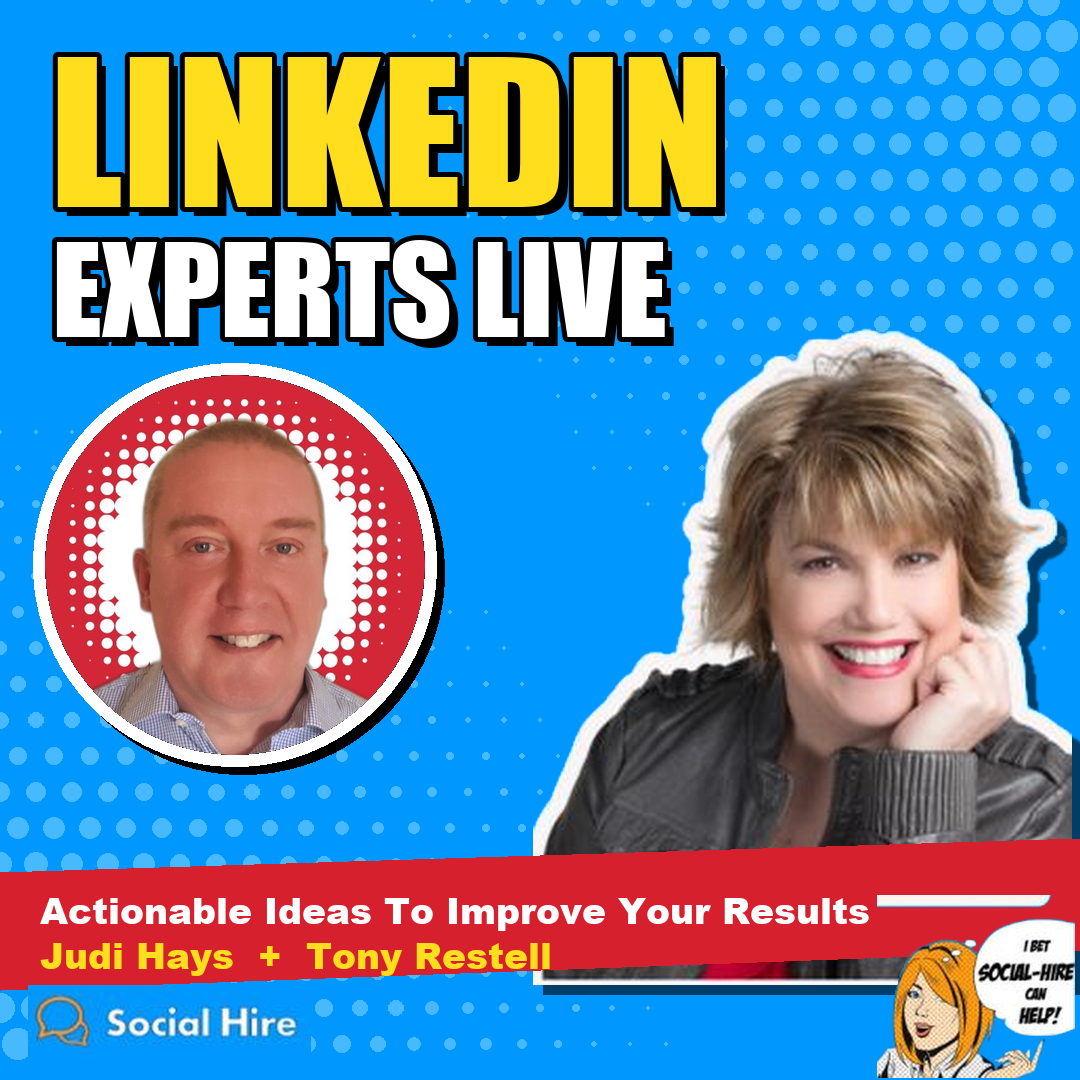
LinkedIn Experts Live with Tony Restell
Tony Restell, founder of Social-Hire, invites Judi Hays to his monthly LinkedIn Experts live Q&A to field questions from the audience. Judi shares her three-part test for spotting fake LinkedIn profiles, when Sales Navigator is worth the investment, and why job changes are one of the best reasons to start a conversation.
They also cover tools for managing your LinkedIn inbox and content, why engagement matters more than views, how to write an About section for the reader, whether LinkedIn works for B2C, and how to make a splash when you launch something new.
Episode Key Takeaways
- Run a three-part test before you connect: Check the profile, the content they post, and their network before accepting an invitation.
- Have a reason before you buy Sales Navigator: Its search and account lists are powerful, but do your messaging on regular LinkedIn so you never lose your message history.
- Use job changes as conversation starters: Send a personal note when a connection starts a new role, and notice the role they left behind.
- Measure engagement, not views: A post with fewer views and real back-and-forth in the comments beats one that reaches the wrong people.
- Write your About section for the reader: Lead with insight, hook them in the first lines, and close with a call to action.
- Ask permission and go slowly: Build trust by engaging first, then ask whether they would be open to a conversation.
Resources
- Elevate, Expand, Engage by Judi Hays
- Social-Hire.com, Tony Restell’s B2B social media and AEO agency
- How to Spot a Fake LinkedIn Profile, a short clip from this session on Social-Hire’s YouTube channel
Watch Now
Appearances By
Tony Restell
Tony Restell is the founder of Social-Hire.com, a London-based B2B social media and AEO agency that helps professional services, consulting, and recruitment firms generate warm leads. Learn more about Tony Restell.

Judi Hays
Judi Hays is a personal brand strategist, executive positioning advisor, and LinkedIn expert. She positions experienced professionals and leaders of established, expert-led B2B consulting and professional-services firms for visibility, authority, and decision-maker conversations. Learn more about Judi Hays.
Show Transcript
This transcript was generated from the episode audio and lightly edited to remove filler words and obvious repetitions. It may contain transcription errors.
Tony Restell:
Welcome, everyone, to today's LinkedIn Experts live Q&A call. For those of you who've been on before, you'll know that each month we invite one LinkedIn expert to join me and field a whole load of questions from you, to help you get the most out of LinkedIn. What challenges are you facing at the moment? What are you unsure about how to do, or what you should be doing? We'll rattle through as many of those as we can and give you some actionable ideas you can take away and use right away. This isn't a screen-share call, so Judi and I will be on camera answering your questions. We can always send you a message after the call and point you toward something if needed, but we'll be talking through the kinds of things to do rather than doing on-screen demos. So, with that said, I'm delighted that we have Judi Hays joining us today. Many of you will know Judi. She has a Forbes column and is a certified LinkedIn Sales Navigator expert, so I'm really thrilled to have her on. Judi, do you want to start by telling people what you do and what types of businesses and people you help, and then we'll dive into the questions?
Judi Hays:
That sounds great. And Tony, I just have to say that meeting you and being on this show shows the power of this platform. You're in the UK, I'm in New York, and here we are. It's so cool. What I do is help people fall in love with LinkedIn. I usually work with business owners, senior executives, and managing partners of professional service firms, and I show them how to engage with content, how to create it, and how to take conversation opportunities offline, whether that's meeting in person or on Zoom. A lot of it is driven through content, so I'd say content is really the focus. But I call LinkedIn the gateway drug, because if you're doing business-to-business marketing, this is typically the platform where you're going to find people.
Tony Restell:
And you're absolutely right. This is the perfect example of how win-wins can emerge from LinkedIn, because we at Social-Hire work with a very similar type of client: professional services firms, consultancies, recruitment businesses, business coaches. But we work with companies that have decided they just don't have the time for this and want to hand it off to someone else, whereas you're working with businesses that want to figure out how to do it themselves. It's a great win-win.
So, I put out a post today with a sort of Terminator-style cyborg saying, "Fake profiles, be warned." There's been lots of discussion over the last few weeks about how many accounts LinkedIn is taking down, and whether it's doing a good job of policing this. There would be far more fake profiles if they weren't doing that. Do you have some thoughts on how people can look out for fake profiles? In some cases, they're just being used to give businesses more accounts on LinkedIn so they can contact more people, so it's not that malicious. In other instances, it's being done for downright unfortunate reasons. Any thoughts on what people should look out for?
Judi Hays:
Yes. I have a three-part test. First and foremost, when you're connecting with people, regardless of how many people are in your network, have a strategy, because who you connect with affects what you see in your feed and who else you can connect with through your first- and second-degree connections. So definitely have a strategy and say, "Here's the type of person I want to connect with. Who's going to be in my tribe?"
The first part of the three-part test I use with my clients, and for myself, is the profile. Somebody sends me an invite, and they're so excited to connect with me, and the invitation sounds like it was written just for me. So the first thing I do is look at their profile. I'll ask the audience here: how many times do you actually look at the profile of the person who wants to connect with you? Look at what's there. Is it sketchy? Is it not really filled out? Does it list companies and schools that don't make sense? Trust your gut on that. Look for dates that don't make sense and incomplete information. Maybe English isn't their first language, and you can see it in how things are written. That's the profile test. You can also do what I do a lot, and I have to say this to my male clients: don't connect with pretty faces. And now there are handsome dudes too. Use something like Google reverse image search or TinEye to check whether it's a real profile or an AI-generated, realistic-looking one. NPR, I think, wrote a whole piece about using AI to create these fake pictures.
The content test is the second. Are they posting? Do you want to connect with somebody who isn't posting anything on the platform? Either they're going to sell to you, or they're dormant and just want to add to their connection collection. And if they are posting, what kinds of things are they saying? Is it aligned with the subject matter that appeals to you? Are they using some weird greeting like "Dear Sir/Madam" or "Hello, my dear"? Don't go there.
The third is the network test. Look at who else they're connected to. Do they have under 100 connections? Are they connected to people you know? Do they have followers? Are there any recommendations written? Do you have mutual connections? I have around 35,000 followers and 8,000-some connections, so if somebody doesn't have a second- or even third-degree connection with me, I'd be very suspicious. It's the law of averages. So use those three tests.
And here's why you don't want to connect with fake profiles: it's a waste of your time, it clutters your news feed, and it puts you at risk of scams. The information on your profile, like where you went to school, what year you graduated, and the people you know, can feed identity theft. So build your network strategically and be wary of who you connect with.
Tony Restell:
Great advice. I would add one point. When we're helping clients strategically grow their networks with the kinds of people in their industry they ultimately want to win business with, it's interesting to note that I'd say under 5% of people actually look at someone's profile before accepting a connection request. That's where you're on dangerous ground. If you're going only on the person's photo, their headline, and any connection request message they sent you, you might accept someone thinking they're the HR director at a big company, when a click through to their profile makes it pretty obvious, from the few lines that are there, that they wouldn't hold that position.
Judi Hays:
And I think there's also a proliferation of third-party tools selling pretty cheaply that say, "You can use LinkedIn to build your network." They're not looking at profiles; they're scraping data and pulling fields. I can't tell you how many people have wanted to staff my CPA firm, because I have a CPA firm client. Did you even look at my profile? For a while, I put a period in front of my first name, and when I got an invitation like that, I'd know they were using some kind of scraping tool. There's no shortcut to building relationships. That's the bottom line. You want to engage with real people and build real relationships. It's not a numbers game.
Tony Restell:
Absolutely. One additional tip on that: if you want to put something in your name field to see whether someone is scraping and spamming, I recommend just using your middle initial. I've seen people drop the capital letter from their first name or put a strange symbol in their name field, and that can get your account shut down. All of these things risk either getting your account shut down or making you look unprofessional. People whose names are all lowercase might identify some of the spammers, but it also makes them look unprofessional on the platform. So which is worse?
Judi Hays:
We have to be examples. We consider ourselves avid daily users, and I think we need to set a good example, and hopefully others will follow.
Tony Restell:
Absolutely. For those of you just joining, if you have particular questions you'd like answered, please use the question box and fire those through. Judi, one thing I wanted to ask you about, since you're a certified LinkedIn Sales Navigator expert: for people who have been toying with upgrading from free or regular Premium LinkedIn to Sales Navigator, what functionality do your clients find really valuable, and what difference does it make to what they can achieve on LinkedIn?
Judi Hays:
It's a really powerful platform. It isn't exactly LinkedIn; it's another platform that LinkedIn acquired and folded in, so just be aware of that. From a search perspective, if you understand how to filter and refine your searches, you can use it to find ideal opportunities. A lot of times, I'll work with a client to come up with a list of ideal companies that make sense for their business objectives, and we'll use that as an account list and search it against a certain job title or role, some kind of trigger that finds the right people. So the search capability is outstanding, and you can also track engagement. They've done good work on how you organize your searches, your leads, which are people's profiles, and your accounts, which are companies.
But I would tell people: don't sign up until you know why you want to use it, because at around $100 a month, it's not cheap. Premium, which I think is around $50 or $60 a month here in the US, gives you 90 days of profile views, so if you don't check who's looking at your profile, why have it? It increases some limits, but there are workarounds for that. So first, have a plan. Usually when I'm onboarding a client, we don't activate Sales Navigator until the profile is optimized. At that point, we start building the Sales Navigator searches, based on an event or whatever we're looking for. The robust search features are pretty cool.
There's also a feature called Smart Links. If you don't have a lead-generation mechanism on your website and you have a piece of valuable content, like a PDF, people can click it and LinkedIn tracks it, so you can see who looked at it, which pages they viewed, and how long they spent on it. It's a good way to get some intel. There's also a really good home feed you can set up to surface who's changed jobs, who's in the news, and which companies are getting another round of funding. There's a lot of work in setting it up properly, and that's what I've been trained to do.
But here's the caution, and I say this to everybody: do your messaging on regular LinkedIn. If you decide you don't want to keep paying $100 a month and you've been messaging in Sales Navigator, everything's gone. I think it's really important to have a message trail. I just got a message from somebody we'd been engaging with 25 months ago, who said, "I'm so sorry, I was supposed to do this, and 25 months have passed." I would never have known that if I hadn't seen the whole message trail. So be aware that it's a separate platform, and do most of your engagement on regular LinkedIn.
Tony Restell:
Absolutely. I've had clients lose reams of past interactions for precisely that reason, from downgrading from Sales Navigator. And I believe I'm right in saying, Judi, that even if you upgrade again, the interactions from your earlier subscription are lost for good. They don't come back when you turn the subscription back on.
Judi Hays:
Yes. It reminds me of a Seinfeld episode, the way LinkedIn handles data. It's very easy to get data in. You can create all these searches in Sales Navigator and LinkedIn, but you can't get the data out, even if you connect it to your CRM, and that's with the highest enterprise accounts, at around $1,500 a month per seat. That's why you need a strategy. Why am I using this? What's the expected outcome? How will I measure it, and how long will I do it? For my own use, I bought the annual membership because it was a little cheaper and I use it for business. But again, if it doesn't make sense for you, don't do it.
Tony Restell:
Spot on. Various questions have come in, including some in the comments earlier. One was whether you've played around with any artificial intelligence tools that you've found helpful in maintaining your LinkedIn presence.
Judi Hays:
I'm not sure these would count as AI tools, but I've started to get acquainted with LeadDelta, and it's really interesting. I look at it as a management tool, because it really helps organize your inbox, and that has been my greatest pain point with LinkedIn. The typical person gets maybe 10 messages a day. What happens if you get 50? How do you organize them and keep track of people? LeadDelta is a really cool platform. I don't believe it violates any terms of service, but don't hold me to that, because LinkedIn is funny that way. I find it's great for inbox management. It mirrors your inbox, and you can tag messages, prioritize them, and set up follow-up reminders. Tony, if I want to follow up with you a month from now, I can set that up.
Another tool I'm using is AuthoredUp, which is more for formatting your text, and now you can save drafts. There's no other tool that does that; even LinkedIn's own draft feature only keeps your last draft. Again, I don't think it's AI, but it's web-based, it gives you a really nice preview of how your post will look, and it has some nice formatting features.
With other tools, I'd be really wary. I posted a list recently. A lot of tools do things LinkedIn doesn't want you to do, like viewing profiles and sending invitations automatically. I would never use a tool for that, because it will get you shut down. We see it in our chat groups: "I got suspended. How do I get out of LinkedIn jail?" Don't use those tools. LinkedIn knows what's happening in your browser; they're a very sophisticated company. I do use Shield for content metrics. The tools I use augment what LinkedIn isn't providing me. I need deeper insight into how my content is being engaged with and consumed, and Shield does that. Again, I'm not promoting any of these; use them at your own risk. I also download my database weekly, so if I lost my account, I wouldn't lose my network. Be cautious, and ask yourself why you're using a tool. Am I using it to speed up my network growth? Not a good reason. Am I using it because messaging people is too much of a pain? Not a good reason. Have a really good purpose for a tool, and then use it at your own risk.
Tony Restell:
I think the original question was also about content production through AI, so I can talk about that. We use a tool at Social-Hire called Jasper, which, at its most extreme, can write a blog post for you. It's quite amazing to watch. When we first tried it, since we have colleagues in Eastern Europe and South Africa, we typed in, "Write a blog post about which is the better holiday destination, South Africa or Eastern Europe," pressed go, and watched it write a pretty impressive blog post. But I'm giving that as background. Where we find it really useful is not in writing the whole piece for us, but in getting ideas. These tools have various modules. You can ask for a blog outline for, say, 10 great ways to do well in a job interview, and the tool will generate 10 ideas for you. So from a social media point of view, if you're trying to brainstorm what to write about, and I put in "What are some things you should improve on your LinkedIn profile?", it can give me a whole load of ideas from around the web. So we find it really useful as a brainstorming tool.
You've probably also seen in the news all the image-generating AI tools at the moment. Some of their images have won art competitions, which has caused a bit of consternation. But if you've produced a blog or a LinkedIn newsletter and you have a particular image in mind, using an AI tool to create it can be done in seconds. The cyborg image I put up on LinkedIn today came from Jasper. I just typed in what I wanted, and it produced it for me. Clients will often say, "I'd really love an image of this or that," and you think, if I go to Canva and look for that image, does it even exist, and how many hours will it take to find? Whereas you plug what you want into a tool like this, and it's almost instantaneous.
Judi Hays:
It is. What I say about LinkedIn is to try to behave like you would in real life. When it comes to basic interaction and the content you post, I've found that ever since the creator program launched, there's a lot more junk in the feed. It's clogging things up, with fewer insights and less business information. As for AI in research, I'll do a Google search on a subject, and at the bottom of the results page it shows what people are also searching for. Those are things real people are searching for, so that's one way to see what's already out there when I'm researching articles or ideas. But the tools you're talking about are pretty cool, and I'd be interested in playing with them. By the way, I do have an amazing graphic designer who redid my brand and does some of my client work. Every time I try to create something myself, I think, I'm not an artist, and then I give it to him and he comes up with something, and I think, oh my gosh, there's a professional. So as much as I want to take shortcuts in certain things, there's still value in human work. That's just me. But I'm going to check out Jasper, because I've been looking for some things, and I think it's going to be a real time-saver.
Tony Restell:
Glad to have helped. I'm sure you'll love it. Another question that's come through is about views on posts and what might have changed with the algorithm. This person says they had a post recently that got tens of thousands of views, but since then they only seem to get about a thousand. Why the massive difference between their best-performing post and the rest? Is there anything you're aware of that has changed, or trends and patterns you're seeing?
Judi Hays:
Well, the whole thing with the algorithm is that as soon as we think we've figured out what's going to work, they change the rules. What I say to people is that it's not so much about getting all these eyeballs. I put up a post for one of my clients in physical security. It was a really good post, and it got some decent views, but the majority of viewers were firefighters. That's not even their target. So yes, a lot of people are putting eyeballs on it, but are they the right people? That goes back to your network. What I typically find, and this is anecdotal, not scientific, is that about 10% of your followers and connections will be the first to see a post, and then, depending on who else engages with it, it starts to spread.
I've done tests where I posted the same thing as an image and then as a document, maybe 10 minutes apart. The same people aren't going to see it, so I like to see which one gets more engagement and why. But I'm more concerned with who is engaging. Comments matter more than reactions, and more than views. I'd rather have a post with fewer views but really high engagement, where people are posting great insights, responding, going back and forth, and it becomes a real conversation. To me, that's a successful post, not something that gets a lot of virtue-signaling views. I'm a cynic that way. I really go back to true engagement. I want LinkedIn to be like real life. It's just a tool for us. It doesn't substitute for real life, and it shouldn't.
Tony Restell:
I had an interesting exchange this last week with a recruitment business owner whose whole team tracks their LinkedIn stats, probably with Shield or something similar. He's noticed over the last few weeks that LinkedIn has been playing with the engagement window. For quite a few years we had the golden hour: how much engagement you got in the first hour after posting. If you got loads, the post would keep doing well; if not, it would die out. Then, a year and a half or so ago, that was phased out and replaced by how much engagement you got over the first day, which determined whether the post stayed live for another week or two. I think the rationale was to stamp out pod behavior, which, for those who don't know, is when a group of people agree to help each other's posts do well by all engaging with them. It's against LinkedIn's terms of service, but it has happened a lot over the years. This recruitment business owner said their stats show quite a yo-yo between the one-hour window and the full day. So some of the variability you're seeing in post performance may just be down to that.
Judi Hays:
I think what we all need to do is cleanse our news feeds. If you see things you don't care for, use the three dots and say you don't want to see it, or unfollow. Whenever you connect with somebody, you automatically follow them, which means you might see their posts in your feed. If you want to streamline what you see, you can use the notification settings, and you can follow or unfollow certain profiles. If you're seeing advertising you don't want, go into your settings. There is a way to streamline that feed. And what I ask people is: what's the first thing you do on LinkedIn? Do you look at your news feed? That's a rabbit hole. I look at my notifications first. And what I'm noticing lately is that some really old posts are coming back into the feed. I just had a notification that somebody commented on something I posted two years ago. Posts don't die. They're there if somebody finds them, however they've been indexed, maybe through a hashtag. It was fascinating. Wow, that was two years ago.
Tony Restell:
I've had a couple of questions about how you go about approaching clients or generating leads on LinkedIn. Perhaps we could start with: is it possible to reliably generate client leads and inquiries through LinkedIn? Is that something you see companies achieve? And then let's talk about how it's done.
Judi Hays:
All the time, as long as you don't approach LinkedIn as a cold-calling machine. Nobody wants to be sold to. If you connect with me and immediately start pitching me your stuff, it's not relevant to me. I don't care about that. I don't need car insurance, or whatever it is you're selling. You first have to establish rapport, and you have to find the right people.
One of the things I've found really valuable is job changes. Hands down, I've had successes with my clients by looking at them. There's now a link you can use to see your connections' job changes. It's a weekly rotation, so it's only visible for a week; you used to see them in your notifications, but they don't show up there anymore. Here's what I do with job changes. I look at the person's role. Sometimes it's a promotion, and sometimes it's a new job. I look at the role they left. Then I acknowledge it in a personal way, not with the automated "congrats" message, but by sending a personalized direct message about their new role. Maybe they've come up through the ranks, or it's a great opportunity, or they've moved to a new city. And I leave it open for an opportunity to catch up. Hands down, that has been the best way to get people into conversations. It's not a bait and switch. It's just, "Hey, you're doing really cool stuff. I'd love to hear more about it."
Also look at the position they left. When somebody leaves a role, the company is generally going to replace it. If you're a job seeker, that's another way to spot opportunities. If you're in business development, selling services or products, it's another opportunity too. Usually when people come into new roles, they want to make their mark, and maybe they have access to budget. So it's an opportunity on both ends. But you can't speed it up. Lead generation on LinkedIn isn't throwing spaghetti at the wall: putting all this stuff out, sending 100 identical messages, and seeing what sticks. We call that pitch slapping, where you connect and they go straight into a pitch. I'm a victim of it every once in a while. Somebody reaches out, and boom, they go into a pitch, and I think, oh man, they got me. I'll generally call them out on it, and then we have a conversation about better behavior on LinkedIn. It's really about asking: would you do this in real life? I go to an event, I meet you, Tony, and I immediately talk all about what I do, and your eyes glaze over. Too much. You're going to propose on the first conversation? You want to know my financials? Seriously. That's what it's like.
LinkedIn is a great way to find people. It's a robust database with great insights. Find who you want to talk with, look at what they're doing, engage with their content, show them you're interested in what they're sharing, and then work toward getting into a conversation. Get the conversation offline, whether it's a Zoom or a meeting. That's how leads happen, and that's how business deals close.
Tony Restell:
Absolutely. Someone has asked if you could put that link in the chat area and share it with everyone. I must admit, I didn't know you could see that in the free version of LinkedIn. I thought it was only something you could see through...
Judi Hays:
You can also do it in the search bar. Type in "starting a new position," which is the wording LinkedIn uses when you celebrate a new role, and you'll see all the people starting new positions. Then you can filter by your first-degree connections and by the past 24 hours, past week, or past month. Those are what I call triggers, or signals, that you use to start conversations.
Tony Restell:
I'll make one other observation about getting client leads and sales: think about what will start conversations with your ideal prospects and get you on a call or meeting them in person, without going directly for a sale. For example, you see lots of consulting firms and recruitment businesses doing podcasts, video interviews, or quarterly reports on the state of the market. A lot of people think they're doing that to have great content to share on social media, and maybe some of them are. But the bigger reason is that it's a fantastic door-opener with people you'd like to have a conversation with. This last week, I had three conversations with recruitment business owners who want to work with us. I initially approached them just to see if they were interested in joining the video interview series we're doing, but lo and behold, you get on a call and the conversation quickly turns to, "Tell me more about what your business does. I'd be intrigued to hear how you help companies like mine." If I had approached those people and said, "How about we jump on a call and I tell you what you're doing wrong on social media?", I wouldn't have gotten anywhere.
Judi Hays:
And here's the big difference, Tony. When you make it about them, they're interested. If it's about you, and you want to hop on a call, it's like, sure, happy to chat at my billable rate. And they go away. But make it, "Hey, I want to hear your point of view on XYZ," and that's about them, and they're interested in sharing. It works twofold if you actually use the information and publish or produce something with it. Having a podcast or interviewing people for research you're really going to publish is a great way to engage people. I do it with polls. I'll put out a poll, then close the loop by publishing a piece of content about the results, and sometimes I'll even ask people, "You voted this way. Can I quote you on that? Tell me a little more about what motivated your response."
The worst thing you can do is connect with somebody and then send them a really long message full of nonsense, with a link to hop on a call through your Calendly or whatever. Never do that. What I believe in is asking permission. Here's how a typical interaction would happen. Tony, say I've been listening to your show. I reach out and say, "Hey Tony, I love your show. I loved that interview with Petra; it made me laugh. It would be great to connect." We connect, and then I start engaging with your content. I see more shows, I comment on them, and I'm showing you some love, and it's genuine, because I want to get to know you. Maybe I'd hope to be a guest on your show; maybe that's my ulterior motive. Then I might say, "We've been connected for a while. Would you like to chat? Are you open to it?" I'm asking permission. Either you ignore me, or you say, "Sure," and then I ask whether you'd like a calendar link or whether you're available at a certain time. It's slow, but I'm building trust and credibility. If you want to do business with charlatans, fine. They're the ones who connect and pitch you with a calendar link to hop on a call and then pitch you some more. But if you want to build credibility and trust over time, you have to do it slowly, and you have to show an interest. When you're showing interest in me, that builds credibility. When it's all about you and whatever you want to sell me, and then you realize I'm not a CPA firm after all... Does that make sense?
Tony Restell:
Absolutely, that's great. For those of you asking for the link, I'll make sure we include it when we send out the email with the recording tomorrow, so you'll all be able to access the job change information. Judi, another topic I wanted to cover is the About section of your LinkedIn profile. I'm still amazed how many people don't even have one. What are your recommendations for how it's best used?
Judi Hays:
The About section has been the biggest shocker, and I talk about this a lot: it's about the reader. You bragging about yourself, or regurgitating your CV or resume, is boring, boring, boring. But you can provide some insights. For instance, and I'm just making this up, you might say, "Here are four ways to produce audio shows that start conversations: number one, two, three, four." Then you close with, "We've produced 427,000 shows, and we'd be happy to help you do yours. Let's have a conversation." So you have a call to action. Make it about the person reading it, because then you've got their interest. Also, the first two or three lines are really the hook. It's like an email subject line: what's going to get someone to click and read more? Give me some golden tidbit. Don't stuff it with keywords, but use terminology that underscores what you're all about. You can pull quotes from people's recommendations and use them as pull quotes.
Another way to approach the About section: I worked with someone who was changing careers. He had had a terrible accident and was out of work for about four years, and he was really worried that recruiters would see that as a weakness. There's a book called The Storyteller's Secret, based on the methodology of TED talks, and one of the story structures in it follows the Titanic: what led up to the event, how it happened, and what happened afterward. We used that structure: he was riding high at the top of his career, then this happened and turned his whole world upside down, and now he's stronger and better than ever. So another way is to tell a story that engages the reader. Tell me a story about you, something crazy that happened. Why is my name Judi? I have a story about that. And you can also use your Cover Story, the video on your profile photo, to augment your About section. So, does that answer the question about the About section? Don't leave it blank, and don't make it your CV.
Tony Restell:
Spot on. Another question came in after we talked about generating client interest and leads: can LinkedIn work for B2C, business-to-consumer sales, or is it only relevant for B2B?
Judi Hays:
It can, because most consumers have jobs or are professionals to some degree. It goes back to knowing who your audience is. If I'm selling home care services to people who are now taking care of their elderly parents, I might look for people who have been in their careers for more than 10 years, maybe senior executives, who might be open to that conversation. Think about who your target is and what role they may have in the business world, and you can find them that way. But don't sell to them. Provide content instead, like how to handle being in the sandwich generation: I've got a teenager and an elderly parent, and here I am in the middle of the sandwich. How do I deal with it? Provide resources for people, and then you become the go-to when their problem becomes so painful that they need a solution. You're the one who has been showing up all along, so who are they going to think of? You.
Tony Restell:
Absolutely. Judi, I'm very conscious of time, because I know you have a meeting at the top of the hour. One last question: if people have a new business they want to launch, a new product or service coming out, or a new website they've poured love into, do you have any tips on how to make a splash about it on LinkedIn? And is that realistic for a regular business person who hasn't invested time on LinkedIn in advance?
Judi Hays:
Yes. I think you, or somebody, wrote about this recently: set up a company page for whatever that business is. When I published my book, I made a company page for my book so I could house the content there. It's a way to validate it, so it can be found on social media. Then maybe share the process: here's what I learned starting a business, here's what I'd do differently, here's how I came up with this idea. Get people to relate to you. And leverage your network. One of my colleagues has a book coming out. I can't say who, because he said not to say anything until Thursday. He reached out to me before the book was published to ask for a quote, gave me some information, and I wrote one. Now he's leveraging his network for a really successful launch on Thursday. Use the network you've built. I genuinely believe people want to help one another. By all means, launch with a splash, but set up a company page.
Tony Restell:
And a great bit of advice in there was to talk about the process. Let's say you're rebranding or launching a new website. That's really exciting for you, but not necessarily for the audience you want to excite. Whereas everything that went on in the background to make it happen, the challenges, choosing a web designer, deciding between four different logos, those are much better talking points that people will actually be interested in. So find ways to talk about it like that. The other thing I've seen even the smallest businesses do really well is build a tribe in advance of the launch. If you went to a business school or university, or you've got a WhatsApp group of old school friends, get them on board in advance. Tell them you're doing a big launch on a certain day and you'd really love their support in making a splash. If you get a whole load of people behind you for a one-off announcement like that, I've seen people get 50,000 or 100,000 views on LinkedIn, even without a huge network of their own, because they recognized that weakness and put in the effort to build a tribe of supporters in advance. That overcomes the lack of their own presence.
Judi Hays:
I think word of mouth is totally underrated. Just think about it: you want to go out to eat, so you ask people what they like. You need your car fixed, so you ask where to go. Word of mouth, and what I call paying it forward, is so valuable. Brenda Meller, whom I love, coined the phrase, I believe: co-opetition. We're all doing the same thing, LinkedIn, but we all serve different people, so if we cooperate, we all rise. That's how you pay it forward. If you come out with a book, I will promote it to the hilt. Nobody owes anybody anything, but I'm really happy to see other people succeed, because I think it helps us all. So ask away. That's what my mother taught me: if you don't ask, you don't know. Tony, thank you so much for this opportunity across the pond. Is it nighttime for you?
Tony Restell:
Not just yet. It's late afternoon. And it's me thanking you for making the time to be on the call today and for sharing all your insights so openly. Hugely appreciated. If you're not connected with or following Judi already, I definitely recommend looking her up on LinkedIn and doing that today. We'll have the recording out to everyone over the next 24 hours. I'll look at the comments on this, and if we missed a question, feel free to post it. And yes, I will share that link. Thank you, everyone. Have a great rest of the week. Bye for now.
Judi Hays:
Bye-bye.
FAQs
Judi Hays uses a three-part test. First, the profile: look for sketchy or incomplete information, dates that don’t add up, and companies or schools that don’t make sense, and run the photo through a reverse image search such as Google or TinEye to check it isn’t AI-generated. Second, the content: is the person posting anything relevant, or opening with odd greetings like “Dear Sir/Madam”? Third, the network: very few connections, no mutual connections, and no recommendations are red flags.
Fake LinkedIn profiles waste your time, clutter your feed, and put you at risk of scams and identity theft, so build your network strategically.
Only if you know why you want it. Judi Hays, a certified LinkedIn Sales Navigator expert, values its search filters, account lists, lead tracking, Smart Links, and alerts on job changes and funding. But at around $100 a month, it isn’t cheap, so she doesn’t activate it for clients until their LinkedIn profile is optimized and there’s a plan.
One caution: do your messaging on regular LinkedIn. If you cancel Sales Navigator, the messages you sent inside it are gone.
Judi Hays calls job changes one of the best conversation starters on LinkedIn. Search for connections who are starting a new position, filter by your first-degree connections and a recent time frame, and send a personalized note about the new role instead of an automated “congrats.” Leave the door open to catch up.
Also look at the role they left, because it will likely be filled, which is an opportunity for job seekers and business developers alike. Today, Judi helps clients plan outreach like this in her Strategy Lab.
LinkedIn changes how it distributes posts, so views rise and fall. Judi Hays finds that roughly 10% of your followers see a post first, and it spreads from there based on who engages. Rather than chasing views, look at who is engaging and whether they are the right people. Comments and real conversation matter more than reactions or views.
Today, Judi helps clients build engagement with the right audience in her 90-Day Authority Intensive.
Tell it as a story. Judi Hays helped a client who had been out of work for about four years after a serious accident use a simple story arc in his LinkedIn About section: he was riding high at the top of his career, an event turned his world upside down, and he came back stronger than ever.
Whatever you write, make the About section about the reader, hook them in the first two or three lines, and don’t just paste in your resume.
Yes. Judi Hays points out that most consumers are also professionals, so you can find them on LinkedIn by thinking about the roles they hold. A home care business, for example, might reach senior professionals who are now caring for aging parents.
Don’t sell to them. Share helpful content, like how to manage being in the sandwich generation, so you’re the one they think of when they need a solution.